How Does This AI Game Generator Add Sound Effects and Music?
WordstoGame provides short built-in sound effects generated in your browser, but it does not generate background music files. Make a simple 2D single-player game with the AI game generator, then use Sound: on or Sound: off below the canvas. Our live shooter test produced audio signals for its arcade effects; requesting an orchestral loop did not add a soundtrack or music download.
Make a game and try its soundThe question behind this test
A developer in r/aigamedev asked:
“Wondering if anyone has suggestions on how to generate good sound effects and music for AI games?”
The thread discusses a separate game and audio workflow. Here we answer the part we can verify directly: what sound this site's browser generator supplies, and whether a music request changes that output.
Our exact sound-and-music prompt
We opened the live homepage in a fresh Chrome browser session and entered:
a space shooter with laser sound effects and an orchestral background music loop
This deliberately combines an effect suited to an arcade shooter with a background-music request. We selected the available settings instead of relying on the sentence to choose every rule.
- Open WordstoGame and paste the sentence into Describe your game.
- Choose Shooter under Game type and Retro pixel under Visual style.
- Select Easy. Leave Power-ups, Countdown timer and More enemies off.
- Click Generate game. Check the title, goal and refinement status before comparing sound.
- Press Restart with sound on. Click Sound: on to mute, restart again, then click Sound: off to restore effects.
What our browser actually produced
After waiting about 33 seconds, the result was Laser Starfighter, with a model-refined Shooter, Retro and Easy setup. Its goal was to clear five waves by destroying 12 Alien Drones. The browser game retained five starting health. The initial automatic-firing run had already reached its win state with 12 kills and a score of 2,820; we had not steered the player during that interval.
We then compared short restarted runs. With sound enabled, the browser scheduled eight additional oscillator starts during a 1.8-second observation. A separate signal probe on the output path recorded a nonzero peak amplitude, approximately 0.092, during the session. That checks actual audio activity rather than trusting the button label. It is not a listening review or a measurement of speaker loudness.
With sound disabled, the oscillator count stayed at 87 across another 1.8-second observation: zero new starts. Meanwhile the game continued from zero kills and score zero to two kills and score 470. Its elapsed game time advanced from about 0.28 to 2.10 seconds. Muting therefore stopped new sound events in this check without pausing the action.
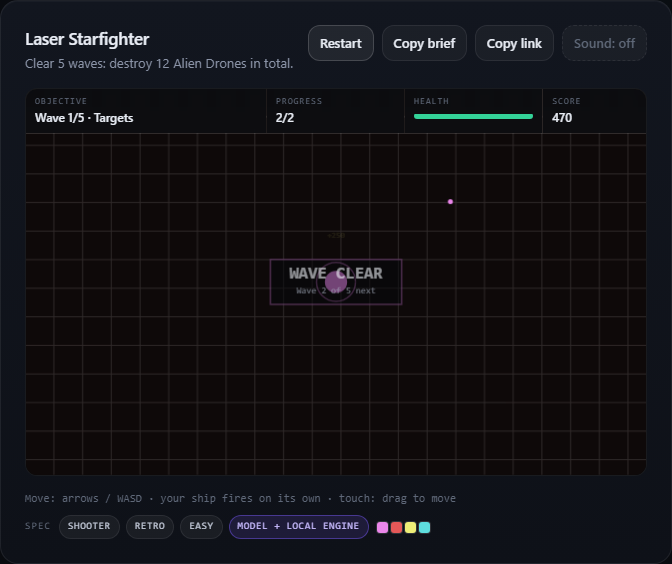
The muted button showed Sound: off and its pressed state was false. Turning it back on changed both states and resumed sound events. After one more restart and short observation, the total start count reached 100. Exact counts can vary with enemy timing; they describe our recorded session, not a fixed quota every generated game must meet.
Did the orchestral loop request work?
No music file appeared in this run. The browser made no media requests and fetched no MP3, WAV, OGG or M4A resource. We also checked the current sound implementation: it constructs short oscillator-based effects for shots, hits, pickups and game events, with no background-music loop system. The model refined the game's wording and setup, but that did not create an orchestra, a voice track or an audio export control.
How to use the sound that is available
For a quick arcade sketch, generate a game and leave sound enabled to get its built-in event feedback. If you need quiet play, use the sound toggle. If you hear nothing, click or tap the page first and check the browser tab and device volume. We verified the audio path in desktop Chrome; this run does not establish identical playback behavior on every phone or browser.
If your project needs a composed soundtrack, uploaded recordings or downloadable audio assets, this interface does not supply those. It also does not export game files or build 3D or multiplayer games. You can test a small single-player browser game here and decide whether that output meets your immediate goal.
Try the same shooter prompt, or browse our tested questions for other concrete results.